
 Search
 List of Categories
 Who has read this topic?
 Add Reply
 Printable version
 Activate notification
General » Uploading pics


Published 25/08/2012 @ 12:29:15, By Andre Malraux
.
Latest Edition: 22/04/2016 @ 13:49:28
Latest Edition: 22/04/2016 @ 13:49:28


Published 25/08/2012 @ 12:33:14, By antp
For the "2" you probably mean "add a vehicle". The time-tag is the hh:mm:ss position of the capture in the video, it is optional. When the vehicle is added, you have a "set picture" link to upload a jpg file as vehicle main image.
Published 25/08/2012 @ 12:40:30, By Andre Malraux
.
Latest Edition: 22/04/2016 @ 13:49:57
Latest Edition: 22/04/2016 @ 13:49:57
Published 25/08/2012 @ 13:00:14, By antp
Yes, you chose one or the other, not both
"a" is when you have a jpg on your computer
"b" is when the image is from a forum for example, and want just provide the address of a picture rather than upload it from your computer
"a" is when you have a jpg on your computer
"b" is when the image is from a forum for example, and want just provide the address of a picture rather than upload it from your computer
Published 25/08/2012 @ 13:13:38, By Andre Malraux
.
Latest Edition: 22/04/2016 @ 13:50:20
Latest Edition: 22/04/2016 @ 13:50:20

Published 25/08/2012 @ 14:16:15, By Sandie
No, that would just give you a link to the video and not something in an image format. I suppose the easiest way to do things is to pause the video, do a print screen and then paste that into MSPaint and save the image. At which point you'll need to crop away everything (black borders, other background) to leave just the raw image.
So you would go from something a bit like this:
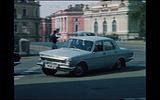
To this:
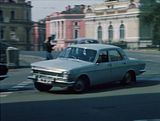
Then you upload the image (in the correct size/ratio).
Latest Edition: 25/08/2012 @ 14:17:18
So you would go from something a bit like this:

To this:

Then you upload the image (in the correct size/ratio).
Latest Edition: 25/08/2012 @ 14:17:18
Published 25/08/2012 @ 14:29:21, By kegare
As an addition: although being the easiest way there is a huge quality loss when saving with MS Paint. I would use Photoshop or GIMP. Using PrtSC is not really comfortable either when you want to go frame by frame through the video. Rather download Video DownloadHelper for Firefox and save the YouTube .flv to your hard-drive and then open it using KMP or MPC-HC and then go frame-by-frame and save the captures using a hotkey (Ctrl+A for KMP, for example).
Latest Edition: 25/08/2012 @ 14:35:41
Latest Edition: 25/08/2012 @ 14:35:41
Published 25/08/2012 @ 15:22:10, By Andre Malraux
.
Latest Edition: 22/04/2016 @ 13:50:41
Latest Edition: 22/04/2016 @ 13:50:41
Published 25/08/2012 @ 15:44:10, By antp
As suggested by Kegare, it gives much better results to download the video for making capture like you would do from a normal video file.
You can also use JDownloader, or a program called "YoutubedownloaderHD".
For making captures, in addition of those mentioned by Kegare (I use MPC-HC myself) there is also VLC.
Latest Edition: 25/08/2012 @ 15:46:42
You can also use JDownloader, or a program called "YoutubedownloaderHD".
For making captures, in addition of those mentioned by Kegare (I use MPC-HC myself) there is also VLC.
Latest Edition: 25/08/2012 @ 15:46:42
Published 25/08/2012 @ 16:15:02, By Sandie
Yes, but I think for Andre to get started the most simple way is going to be best. Lets not get him to run before he can walk.
Have you clicked paste on paint? Maybe if that's not working for you you should try the more difficult method suggested by kegare and antp.
I don't know why, but, when I press "PrtSc" key, I obtain nothing.
Have you clicked paste on paint? Maybe if that's not working for you you should try the more difficult method suggested by kegare and antp.
Published 25/08/2012 @ 16:24:01, By Andre Malraux
Yes, but I think for Andre to get started the most simple way is going to be best. Lets not get him to run before he can walk.
Absolutely! It is very complicated already.
Have you clicked paste on paint?
No. I thought these things appear after I press PrtSc.
Latest Edition: 25/08/2012 @ 16:25:19
Published 25/08/2012 @ 16:30:51, By Sandie
No, click PrtSc when viewing the video, then click paste on the paint document and the screen print should appear.
Published 25/08/2012 @ 16:38:20, By Andre Malraux
click paste
With the mouse, like in copy/paste?
on the paint document
What is paint document?
Published 25/08/2012 @ 16:41:50, By Sandie
Whilst we're on the subject does anyone know how to get Media Player Classic HC to save pictures in the CORRECT ratio? Whenever I do it (regardless if I use F5 as a hotkey or the save image tool) it comes out like this in a completely wrong ratio (this program is meant to be 16:9 widescreen):


Published 25/08/2012 @ 16:47:59, By Sandie
Yes right click then select paste.
What is paint document?
If you open Paint on your computer it generates a paint document. Unless you have a Mac in which case you won't have that program. If you can't find Paint search on the search programs and files on the start menu.
Published 25/08/2012 @ 17:08:19, By kegare
Whilst we're on the subject does anyone know how to get Media Player Classic HC to save pictures in the CORRECT ratio?
I believe that MPC, unlike KMP or VLC, does not do any ratio signalling correction whilst capturing frames.
Published 25/08/2012 @ 17:43:32, By Andre Malraux
Oh, dear, is so complicated! This modern techology... I will try, thank you very much antp, Sandie, kegare!

Published 25/08/2012 @ 17:54:36, By night cub
If your using Windows 7, there is an easier way than using Screen+Print and Paint. Windows 7 has a Snipping tool.
Go to Accessories, find Snipping Tool:

When you open it, you will get a box:

Click on the arrow next to new and select the type of save (It will default to the one selected, so you just click new the next time. I find rectangular works best):

Use the mouse to select an area of the screen, and release. A new box will open that gives you the option to save:

Save and then click new. It will go back to the second thumbnail. Minimize and continue watching. I keep this feature pinned to the taskbar so I can use it at any time.
You may need to practice with it. If you are moving your mouse when you click new, the box will show in the capture. So you need to keep your mouse steady. I find it makes screen prints easier than the other way.
Go to Accessories, find Snipping Tool:

When you open it, you will get a box:

Click on the arrow next to new and select the type of save (It will default to the one selected, so you just click new the next time. I find rectangular works best):

Use the mouse to select an area of the screen, and release. A new box will open that gives you the option to save:

Save and then click new. It will go back to the second thumbnail. Minimize and continue watching. I keep this feature pinned to the taskbar so I can use it at any time.
You may need to practice with it. If you are moving your mouse when you click new, the box will show in the capture. So you need to keep your mouse steady. I find it makes screen prints easier than the other way.
Published 25/08/2012 @ 18:19:55, By Andre Malraux
Thanks, night cub!
I succeeded to find paint program. I clicked on "Edit". The photo appeared in the box. I titled it and I saved it. What do I do next?
Latest Edition: 25/08/2012 @ 18:38:38
I succeeded to find paint program. I clicked on "Edit". The photo appeared in the box. I titled it and I saved it. What do I do next?
Latest Edition: 25/08/2012 @ 18:38:38
Published 25/08/2012 @ 19:12:19, By night cub
You need to open the picture in a Photo Editing program (like Photoshop or other similar programs) and crop it. Paint is not a Photo Editing program. If you don't have a program, you can go to the CNet website and check out some for free.
http://download.cnet.com/windows/photo-editors/3150-2192_4-0.html?filter=licenseName%3D%22Free%22%7C&filterName=licenseName7C&rpp=&sort=&tag=- narrow
Also, if you have Microsoft Office, you can use the Picture Manager to crop. It's not a great program, but you can do the basics with it (cropping and resizing). It should show up when you right click the file under "Open with".
http://download.cnet.com/windows/photo-editors/3150-2192_4-0.html?filter=licenseName%3D%22Free%22%7C&filterName=licenseName7C&rpp=&sort=&tag=- narrow
Also, if you have Microsoft Office, you can use the Picture Manager to crop. It's not a great program, but you can do the basics with it (cropping and resizing). It should show up when you right click the file under "Open with".